Boost Your Browsing Experience with the User-Agent Switcher for
Chrome
Are you looking for a way to quickly and effortlessly switch between user-agent strings? Do you need your website to function flawlessly on both mobile and desktop browsers? Are you tired of being blocked by outdated sites that only support ancient browsers like Netscape 4? Look no further - the User-Agent Switcher for
Chrome
is here to help.
Switch User-Agent Strings with Ease
The User-Agent Switcher for Chrome is a powerful and versatile Chrome extension that allows you to easily switch between user-agent strings. With this extension, you can quickly modify your user-agent string and bypass certain restrictions imposed by outdated websites. You can even set up specific URLs that you want to spoof each time you visit them.
It's important to note that while this extension doesn't provide enhanced privacy while browsing the internet, it does offer you the ability to overcome compatibility issues and access websites that may have limitations based on user-agent strings. However, keep in mind that running this extension may impact your browsing performance, as it intercepts and modifies the data sent to the server.
Switching back to the default Chrome user-agent and clearing your cookies may be necessary if you encounter any issues with websites after using a mobile user-agent.
What Users Are Saying
With an average rating of 3.9 out of 5, the User-Agent Switcher for Chrome has garnered mixed reviews from users:
-
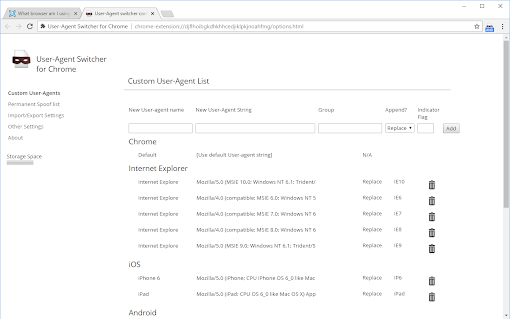
Mik Urrey: "This user agent can work if used correctly. You have to add your own agent if it does not work in certain areas."
-
Squishy Senpai (Lord Squishy): "Absolute trash. All of the user agent strings are extremely old and break all sorts of websites."
-
Thomas Steinert: "Not working."
-
Alexandte RFST: "Not working."
-
Blue: "As another user less helpfully explained, you can spoof Edge with very little effort. Simply right-click on the extension, click options, enter the new user agent name and string, and enjoy the experience of using Edge."
-
M Vlady: "Changes the user-agent, but does not change the operating system. Used to work correctly."
-
M Z: "Works like a charm. The only people complaining are the ones who don't know how to update the user-agents themselves."
-
Federico SP: "It's too old. UPDATE THIS!! Doesn't even have EDGE Browser available."
-
Debaprasad Mukherjee: "It's not working on Google Scholar. Need the mobile view of Google Scholar search results and each individual abstract page. This is a common use case for academics."
Despite the mixed reviews, the User-Agent Switcher for Chrome remains a popular choice for users seeking flexibility and control over their browsing experience. Stay updated with the latest user-agent strings and consult reliable sources for accurate information.




















30 Reviews For This Extension
doesnt work for changing UA on Google Chrome 109 to 147
Useless, my browser user-agent is still the same. waste of time
Nice little thing. Though it resets after you restart your browser, so you have to click it everytime you open your browser
Only support .com or .net as domain in the Permanent Spoof List. Others can't save after restart or Import/Export Settings.
Doesn't work anymore.
Does literally nothing according to browserleaks dot com/javascript And yes I've shift reloaded and F5'ed the page.
Outdated + one of it's background tasks is using 100% of my cpu
Great app.
Most good Extension, best team
Thx, this App Awesome
doesn't let me change OS
Spoofer works ok however import json doesn't load the UA list
My browser is v2 but this does not work for the navigator object property in JavaScript.
Works for me .
Doesn't work at all
Out of date !!! Do not download !!!
Can't lie about operating system.
Not useful if you want to select a specific user-agent, e.g. for testing site appearance for bots etc.
work, but somtimes have bugs
don't work
Did not work on chrome?? how to make changes on Default chrome value?
Would give 5 star if it supported spoofing "sec-ch-ua" header also!
Didn't work for me. Website was the same just zoomed out.
Didn't work for me. Website was the same just zoomed out.
Work for me
good
Simply does not work
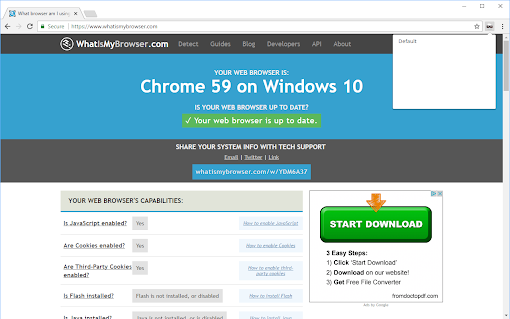
Doesn't work. When I click on it, it pops up a very tiny box. That's all. Useless.
Used to work a few years ago, now it no longer does. Sad!
Not very useful in 2024 as it has been neglected for the most part. Better alternatives out there with more options although this does work the best with the limited options available.